
Planlegging av rutenettstørrelse
Tomodachi Life-tabell for rutenettstørrelser
Bruk denne tabellen før du konverterer et bilde. Beste størrelse avhenger av formen, detaljnivået og hvor lang tid du vil bruke på å kopiere mønsteret for hånd.
Testet av Living the Grid editor testing - Sist oppdatert
Pick an item type first, then return to the Rutenettmaker with a matching canvas preset.
Hva denne veiledningen dekker
A grid size chart maps the long side of a reference image to a practical copying plan. Square art can use 16x16, 24x24, 32x32, 48x48, or 64x64, while book, TV, video, and interior presets derive a matching non-square grid from the canvas ratio.
Grid Size Preview
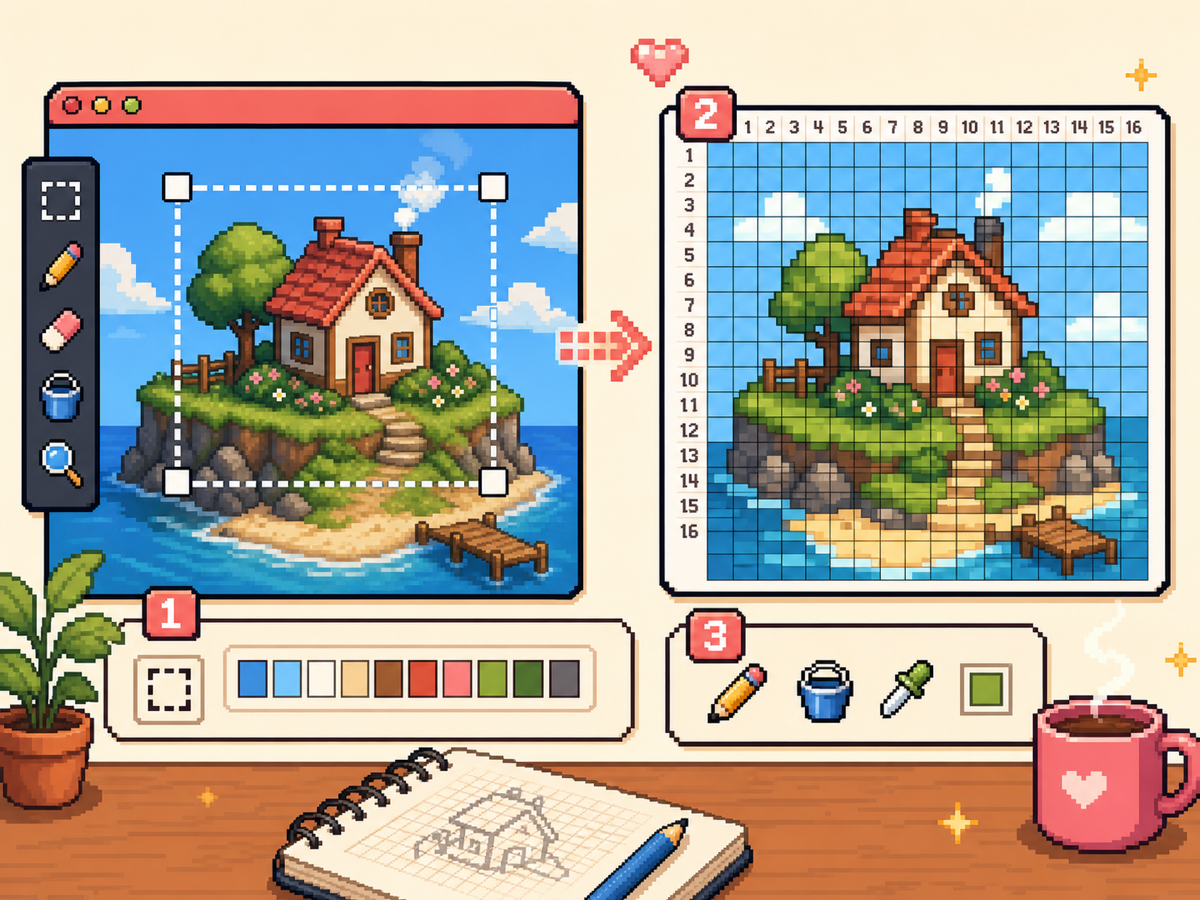
How to Pick a Grid Size
- Choose the item shape first. A square icon, book cover, TV screen, video screen, and interior wall all need different aspect ratios before grid size matters.
- Start with the smallest readable option. Test 24x24 or 32x32 before jumping to 48x48. A smaller grid is easier to copy and usually cleaner for simple art.
- Use non-square presets for wide or tall art. For example, a wide 118x77 grid-style request should use a landscape canvas or custom width and height instead of forcing the image into a square.
- Match the export to your copying session. Use numbered PNGs for long sessions and plain previews for quick shape checks.
Recommended Grid Sizes
| Valg | Best for | Avveining |
|---|---|---|
| 16x16 | Tiny icons, badges, and quick tests | Fast to copy, but it cannot hold small facial detail or text. |
| 24x24 | Clothing marks, symbols, initials, and simple item art | Good beginner size, but busy images need heavy simplification. |
| 32x32 | Most icons, custom items, clothes, and poster drafts | Best default balance of detail, cleanup time, and copying time. |
| 48x48 | Portraits, posters, TV frames, and detailed logos | More readable detail, but row tracking and numbered exports become important. |
| 64x64 | Advanced posters and large references | Slow to copy by hand. Use it only when 48x48 loses important shapes. |
| 118x77 custom | Wide reference screenshots and search-driven custom ratios | Use custom dimensions only when the final surface really needs that ratio. |
Square Grid Defaults
Square grids are best for icons, profile-style art, simple posters, and reusable fan references. If the source image is already close to square, test 32x32 first and compare it with 48x48 only when the silhouette loses information.
A clean 32x32 design usually beats a noisy 48x48 conversion. Extra cells only help when you use them for readable outlines, facial structure, lettering, or strong highlight blocks.
Book, TV, Video, and Interior Ratios
The Rutenettmaker includes book cover, TV screen, video game, and interior presets because those surfaces do not behave like square icons. The long-side grid size stays familiar, but the short side is derived from the selected canvas ratio.
Use book cover for tall vertical art, TV or video for wide scenes, and interior for room decor compositions. If the image looks stretched, switch the canvas preset before changing color settings.
When to Use Custom Width and Height
Custom dimensions are useful for exact layout experiments, including queries like 118x77 grid. Treat custom grids as a planning format: they help preserve a source aspect ratio, but they may take longer to copy than standard presets.
If a custom grid has more cells than you can reasonably finish, reduce the long side or crop the source image more tightly. A smaller focused crop usually copies better than a full screenshot with many tiny details.
Copying Time Expectations
A 16x16 grid has 256 cells, while a 48x48 grid has 2,304 cells. That difference matters when you are copying row by row in Palette House.
Before exporting, ask whether each extra row adds something visible. If the answer is no, lower the grid size and spend the saved time cleaning edges.
Vanlige feil å unngå
- Starting too large. Large grids look impressive in the browser but can become tedious to copy. Test 32x32 before 48x48.
- Forcing every image into a square. Wide TV art and tall book covers need a matching canvas preset or custom dimensions.
- Keeping the full screenshot. Crop to the important subject before deciding on grid size. Cropping often improves the result more than adding cells.
Relaterte guider
Ofte stilte spørsmål
What is the best default grid size?
Use 32x32 for most Tomodachi Life pixel grids. It is detailed enough for many designs and still practical to copy by hand.
When should I use 48x48?
Use 48x48 for portraits, detailed posters, TV frames, or logos where 32x32 loses important structure.
Can I make a 118x77 grid?
Yes. Use custom width and height when you need a non-square reference like 118x77, but consider reducing the size if it becomes too slow to copy.
Do bigger grids always look better?
No. Bigger grids can preserve more detail, but they also preserve more noise. A smaller cleaned grid often looks better in-game.