
TV Screen Art
TV Screen Pixel Art Guide
TV screen artwork can handle more detail than tiny icons, but it still benefits from strong contrast and careful cleanup. A numbered pixel grid makes it easier to copy scenes, portraits, title cards, and small decorative images.
Tested by Living the Grid editor testing - Last updated
What This Guide Covers
TV screen pixel art uses a larger Tomodachi Life pixel grid to recreate scenes, title cards, portraits, and decorative images. The best results come from high-contrast source art, 32x32 or 48x48 sizing, simplified gradients, and a numbered guide you can copy over time.
Guide Images
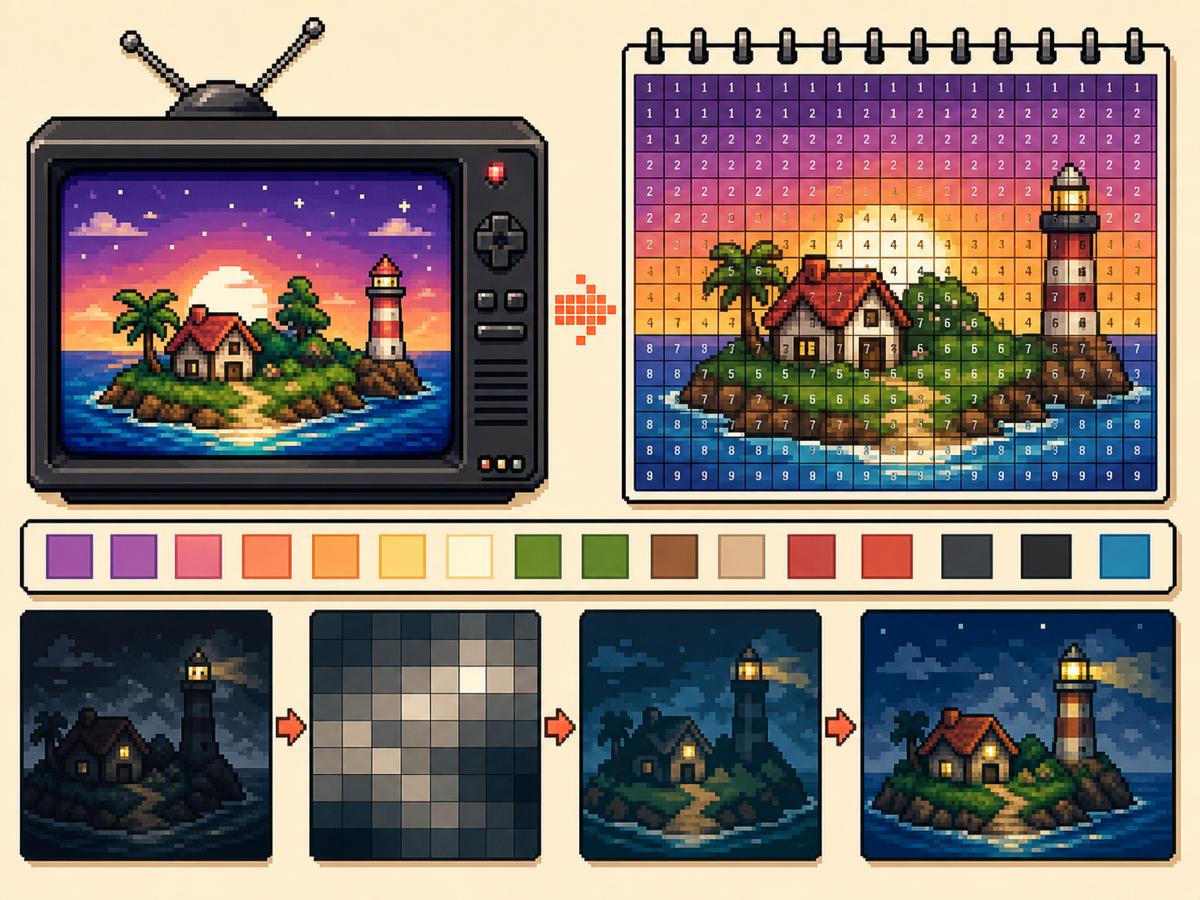
Step-by-Step Workflow
- Pick a high-contrast image. TV screen art is easier to read when the subject has clear separation from the background.
- Use 48x48 for detailed scenes. A larger grid gives faces, rooms, and landscape shapes more room, but it also takes longer to copy.
- Simplify gradients. Use soft dithering sparingly. If a gradient creates too many alternating cells, reduce colors and repaint important edges.
- Export a numbered pattern. The numbered export helps you copy the design accurately over a longer session.
Grid Choices and Tradeoffs
| Choice | Best For | Tradeoff |
|---|---|---|
| 32x32 | Bold title cards, simple logos, and clear TV icons | Faster to copy, but complex scenes lose detail. |
| 48x48 | Portraits, rooms, landscapes, and detailed screen art | More room for detail, but more rows to track. |
| Reduced colors | Dark scenes, gradients, skies, and photos | Less exact color, but cleaner shapes and easier copying. |
Best Subjects for TV Pixel Art
Portraits, title screens, simple landscapes, and large icons usually work well. Very dark scenes and dense photos often need extra cleanup.
If the subject depends on small facial features, use 48x48 and simplify the background so the face gets more attention.
How to Avoid Muddy TV Art
Muddy results usually come from too many similar colors. Reduce the palette, repaint important outlines, and keep highlights limited.
Preview the plain grid before copying. If the preview is readable without numbers, the numbered pattern should be practical to recreate.
Picking the Right Frame
For TV-style art, the frame you choose matters as much as the grid size. Pick a moment with a clear subject, strong lighting, and a simple background rather than a motion-heavy frame full of blur.
Title cards, character close-ups, bright landscapes, and simple UI screens usually convert better than dark action scenes. If a frame already looks busy at thumbnail size, it will probably need heavy cleanup.
Handling Dark Scenes and Gradients
Dark scenes often collapse into a few nearly identical colors. Raise contrast before converting, then reduce the palette so shadows become readable blocks instead of scattered specks.
For skies, lighting, and soft backgrounds, keep dithering light. A small amount can smooth a gradient, but heavy dithering creates alternating cells that take longer to copy than they are worth.
Planning a Longer Copy Session
A detailed 48x48 TV image has 2,304 cells, so treat it like a longer project. Copy in rows or zones, mark completed areas outside the game, and stop at clean checkpoints.
If you notice a row shift late in the process, compare the plain preview against the numbered guide before repainting. Sometimes one corrected boundary fixes the image without redoing a whole section.
Example TV Screen Workflow
For a title screen, copy the background block and main title shape first, then add highlights or small decorative marks. If the title does not read at a distance, simplify the letters before copying the rest.
For a character scene, protect the face and outline first. Background details can be reduced heavily, because the viewer usually recognizes the scene from the character shape and strongest colors.
Common Mistakes to Avoid
- Using very dark screenshots. Dark images often collapse into similar colors. Raise contrast or choose a brighter frame first.
- Letting gradients dominate. Smooth gradients create many tiny changes. Reduce colors and preserve the important outlines.
- Copying without checkpoints. TV art takes longer. Mark completed rows or blocks outside the game so you can resume accurately.
Related Guides
Frequently Asked Questions
Should TV screen art use 48x48?
Use 48x48 for detailed images. Use 32x32 when the design is bold or when you want a faster copy process.
Do numbers make the final image worse?
No. The numbered pattern is only a guide. You can also export a plain PNG preview to see the final image without labels.
What kind of TV image converts best?
Use a bright frame with one main subject and clear contrast. Dark, blurry, or crowded frames usually need extra editing before they make good pixel art.
How do I avoid losing my place on a 48x48 copy?
Divide the pattern into rows, quarters, or color passes and mark completed areas as you go. The numbered export is easiest to follow when you use visible checkpoints.