
External Tool Reference
TomoTexture Download for Tomodachi Life: Safety, Version, and Alternatives
TomoTexture is an unofficial Windows tool by Alfonso Mallozzi for replacing UGC canvas drawings in Tomodachi Life save files. This page explains what it does, what it supports, how to verify the current download, and when a manual pixel grid is the safer option.
Tested by Living the Grid editorial review - Last updated
Official GitHub release asset. Last checked June 2, 2026.
What This Guide Covers
TomoTexture is separate from Living the Grid. It edits local Tomodachi Life save-file content, while Living the Grid creates browser-based pixel grid references and PNG exports. Use this page as a safety-first download reference rather than an official mirror, then decide whether save-file editing fits your own setup.
Direct Download
A Windows utility for replacing supported Tomodachi Life UGC canvas images inside local save files.
Download TomoTexture1.1.exe- Version
- v1.0-beta.2
- Release date
- 2026-04-18
- Platform
- Windows
- File size
- 34,239,902 bytes
- Direct URL
https://github.com/AlfonsoMallozzi/TomoTexture/releases/download/release/TomoTexture1.1.exe- SHA-256
6743cb5fe3638d4c3b5285e4a0a10c2fbf57a55b2a55a83071fc5c08a0010fa1
TomoTexture is an external, closed-source executable. Scan the file, keep backups, and use it only if you are comfortable editing local game saves.
GitHub Screenshots
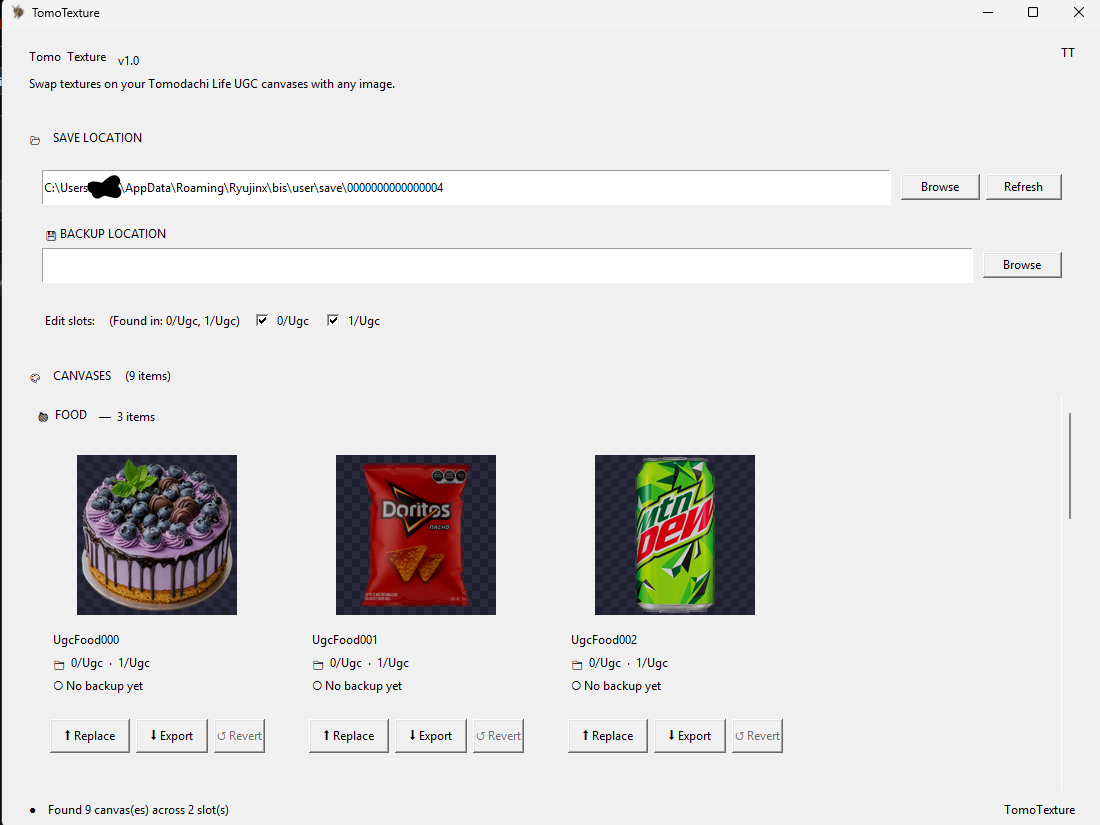
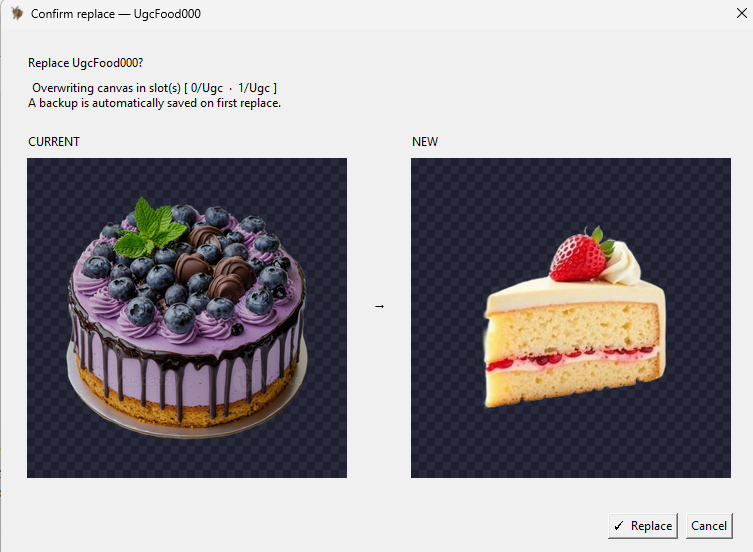
How to Download TomoTexture
- Open the official GitHub release. Use the latest release page first if you want to check notes, screenshots, issue reports, and whether a newer build has replaced this TomoTexture download.
- Download the Windows executable. The current direct asset is TomoTexture1.1.exe. It is a Windows executable, not a browser tool or a Next.js dependency.
- Verify the file before opening it. Confirm the file name, publisher context, and SHA-256 checksum listed on this page. If the checksum does not match, do not run the file.
- Back up your save folder. TomoTexture modifies local save-file content. Keep a separate backup before selecting a slot or replacing any drawing.
- Close your emulator while editing. The release notes warn that editing while an emulator is open can cause problems. Close the game, edit, then reopen and save normally.
Download Options and Tradeoffs
| Choice | Best For | Tradeoff |
|---|---|---|
| Direct download | Returning users who already trust the release and need the executable quickly | Fastest path, but it skips release notes and newer issue reports. |
| GitHub release page | First-time users checking the latest version, known issues, and asset details | One extra click, but it gives more context before downloading. |
| Living the Grid | Users who only need image preparation, pixel grids, numbered guides, and PNG exports | It does not edit saves or import art directly into Tomodachi Life. |
| Manual pixel grid workflow | Players who want a no-executable path for Palette House copying | Safer and browser-based, but you still repaint the design by hand. |
What TomoTexture Supports
The current README lists foods, goods, and faces as supported Tomodachi Life UGC canvas targets. The release notes say goods support excludes videos.
That makes TomoTexture useful for players who want a direct save-file texture workflow instead of manually repainting every design in Palette House.
How It Fits with Living the Grid
Living the Grid is still useful before using an external save-file tool because it can crop, simplify, color-reduce, and preview a source image as pixel art. Use the Grid Maker when you need a clean reference before trying any direct save-file workflow.
If you only want a safe browser workflow, stay with the Grid Maker and export numbered PNG references. If you want direct save-file replacement, TomoTexture is the separate Windows tool to review.
Safety and Source Notes
The GitHub repository does not publish application source code. Treat the executable as third-party software rather than an open-source library, and download only from the developer's GitHub release assets.
The direct download URL points to the GitHub release asset checked on June 2, 2026. Check the release page if you want to confirm whether a newer build exists, read current issue reports, or compare any checksum published for the build.
Official Download, Mirror, or Guide?
Living the Grid does not mirror TomoTexture, distribute a repackaged installer, or modify the executable. The download button sends you to the original GitHub release asset so you can review the source, file name, release notes, and browser warning context yourself.
That distinction matters for safety and search intent: this is a reference guide for the TomoTexture download, not the official TomoTexture website. If you only want image-to-grid planning, use the browser Grid Maker instead of installing a Windows executable.
When to Use TomoTexture Instead of a Manual Grid
Use TomoTexture only when the goal is direct save-file replacement and you are comfortable managing emulator files. It is not needed for players who simply want a numbered drawing reference, a palette plan, or a clean PNG export.
For first attempts, test with a throwaway save copy and a simple image before replacing anything important. A small, high-contrast design is easier to verify than a detailed photo, and it makes file or slot mistakes easier to catch.
Pre-Download Checklist
Open the latest release page, compare the file name, note the release date, and save a clean backup before running the executable. Keep the original download in one folder and your save backup in another so you can tell them apart later.
If Windows, your browser, or an antivirus tool warns about the file, pause and review the GitHub issue history before continuing. A warning does not always mean the file is unsafe, but it is a reason to slow down and verify the source.
Common Mistakes to Avoid
- Treating it as part of Living the Grid. TomoTexture is made by a separate developer and runs outside this website. Living the Grid does not host, mirror, modify, or execute the file.
- Skipping backups. Save-file editing is riskier than exporting a PNG reference. Keep a backup folder before replacing any UGC canvas.
- Ignoring the release page. The direct link is convenient, but release notes and issue reports can change. Review them before using a build for the first time.
Related Guides
Frequently Asked Questions
Is TomoTexture part of Living the Grid?
No. TomoTexture is an external Windows tool by Alfonso Mallozzi. Living the Grid only provides information, a direct GitHub release link, and browser-based image preparation tools.
What is the direct TomoTexture download link?
The current direct GitHub asset is TomoTexture1.1.exe. Check the latest release page if you want to verify newer builds, release notes, issue reports, or checksum details before downloading. TomoTexture1.1.exe on GitHub Latest release page
Does TomoTexture work in the browser?
No. The current release asset is a Windows executable. It is not a web app and cannot run inside the Living the Grid editor.
Is Living the Grid the official TomoTexture download site?
No. This is an independent reference page that links to the developer's GitHub release asset. Living the Grid does not distribute its own TomoTexture installer.
Should I still use Living the Grid?
Yes, if you want to prepare a source image, reduce colors, preview pixel art, or export a manual reference. TomoTexture is for direct save-file replacement workflows.
What should I do before replacing a drawing?
Make a separate save backup, close the emulator, test with a simple image, and keep the original file until you have reopened the game and confirmed the replacement worked.
Why does this page link to GitHub instead of hosting the file?
The safest reference is the developer's own release asset. Living the Grid does not mirror or modify the executable, so users can review the original release page and issue history.